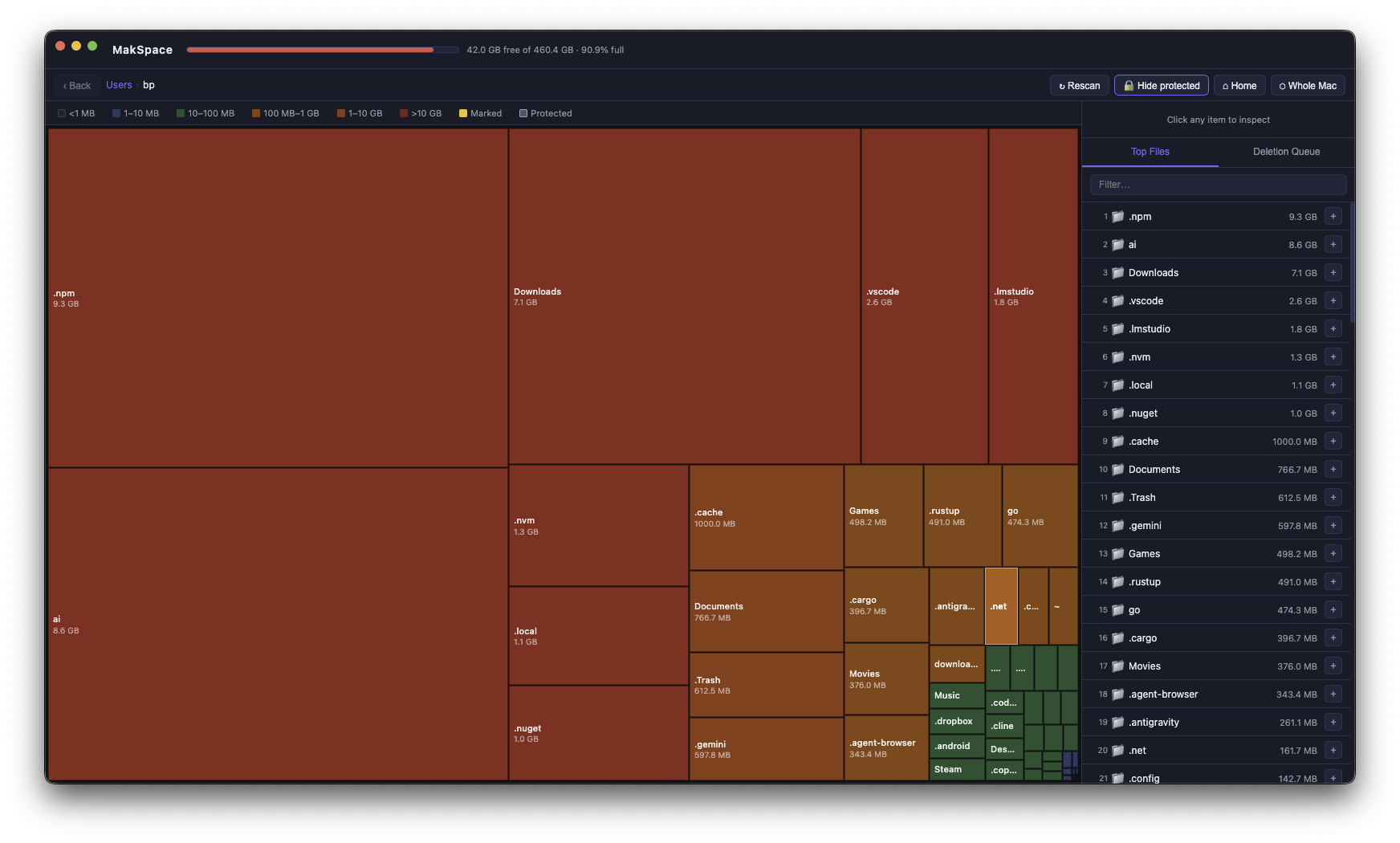
MakSpace scans your disk and shows you a live heat map of exactly where space is going. Drill in, find culprits, delete safely.
macOS 11+ · Apple Silicon & Intel · No subscription, no auto-renewal
Instant visual breakdown of your entire disk — from top-level volumes down to individual files.
Colour-coded by size — the redder the block, the bigger the space hog. Instantly obvious.
Single-click to inspect. Double-click to dive into any folder. Navigate back with a breadcrumb trail.
Sortable, searchable list of your biggest files and folders — always visible as you explore.
Mark items for deletion, review the list, then move to Trash or delete permanently. System paths are protected and cannot be touched.
Uses native macOS file system events — no polling. The map updates automatically when files appear or disappear.
Critical macOS paths (/System, /usr, preferences, keychains) are permanently protected. You can't accidentally delete something important.
3-day free trial, no credit card needed. One payment — no subscription, no auto-renewal.
sudo from Terminal for a complete scan.
Short version: almost nothing.
Collected at purchase solely to deliver your license key. We don't send marketing emails.
Handled entirely by Stripe. We never see your card details.
No analytics, no tracking pixels, no crash reports, no telemetry. MakSpace runs entirely on your Mac. Your files stay on your Mac.