macOS Utility

See what's eating
your Mac's storage.

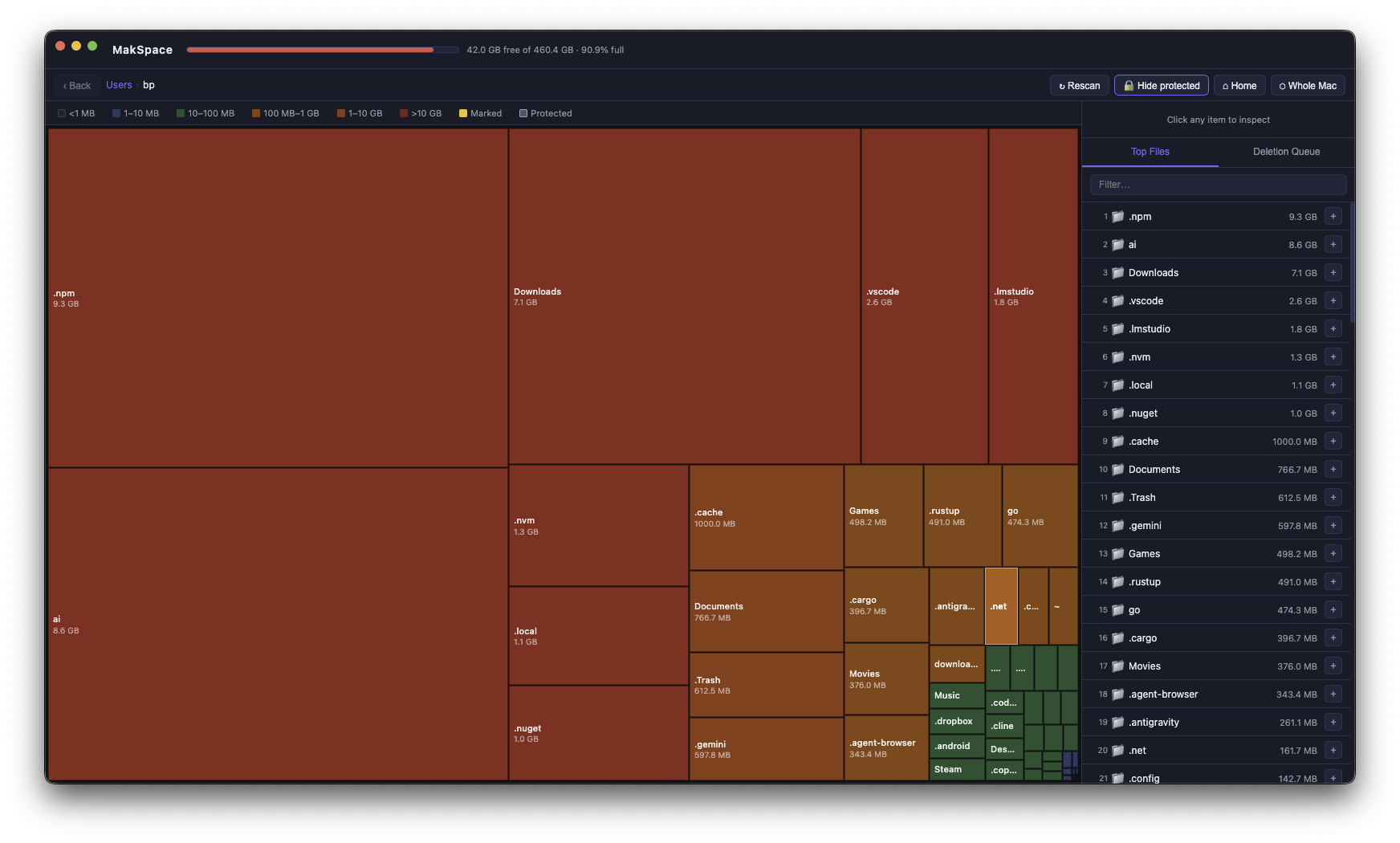
MakSpace scans your disk and shows you a live heat map of exactly where space is going. Drill in, find culprits, delete safely.

Buy — from $5/year Try free for 3 days →

macOS 11+ · Apple Silicon & Intel · No subscription, no auto-renewal

MakSpace showing a disk heat map
What it does

Every byte, accounted for.

Instant visual breakdown of your entire disk — from top-level volumes down to individual files.

🗺

Live heat map

Colour-coded by size — the redder the block, the bigger the space hog. Instantly obvious.

🔍

Click to drill in

Single-click to inspect. Double-click to dive into any folder. Navigate back with a breadcrumb trail.

📋

Top files list

Sortable, searchable list of your biggest files and folders — always visible as you explore.

🗑

Safe deletion

Mark items for deletion, review the list, then move to Trash or delete permanently. System paths are protected and cannot be touched.

👁

Auto-detect changes

Uses native macOS file system events — no polling. The map updates automatically when files appear or disappear.

🔒

System-safe

Critical macOS paths (/System, /usr, preferences, keychains) are permanently protected. You can't accidentally delete something important.

Simple, honest pricing.

3-day free trial, no credit card needed. One payment — no subscription, no auto-renewal.

Annual
$5
per year · no auto-renewal
  • Full access to all features
  • All updates during the year
  • One-time payment, expires after 1 year
  • 3-day free trial
Start free trial
FAQ

Questions


Does it need admin / root access?
MakSpace works without admin rights for most of your files. Some system directories require elevated permissions — you can optionally launch it with sudo from Terminal for a complete scan.
What macOS versions are supported?
macOS 11 Big Sur and later. Both Apple Silicon (M1/M2/M3/M4) and Intel Macs are supported.
Is deletion permanent?
By default, items are moved to your Mac's Trash — fully recoverable. There's an optional "Skip Trash" mode for immediate permanent deletion if you prefer.
What's the difference between annual and lifetime?
The annual plan costs $5 and gives you full access for one year — no auto-renewal, no subscription. Pay again when it expires if you want to continue. The lifetime plan is a one-time $25 payment that never expires.
Can I use it on multiple Macs?
Each license is for one Mac. If you get a new computer, contact us and we'll sort it out.
Can I get a refund?
Yes — if you're not happy within 30 days, email makspace@bp.la for a full refund, no questions asked.
Privacy

What we collect

Short version: almost nothing.

📧

Your email address

Collected at purchase solely to deliver your license key. We don't send marketing emails.

💳

Payment data

Handled entirely by Stripe. We never see your card details.

🔒

Nothing else

No analytics, no tracking pixels, no crash reports, no telemetry. MakSpace runs entirely on your Mac. Your files stay on your Mac.